How to Collect Photos at a Corporate Conference Without a Photography Contract


A booked photographer gives you a few hundred polished frames of the keynote and the sponsor wall. What they cannot give you is the rest of the event: the breakout sessions running in parallel, the corridor conversations, the team that flew in from three offices and finally met in person, the sponsor stand when the energy was highest. Those moments are on hundreds of phones in the room — and without a system, they stay there.
This is a guide for the event manager who wants all the photos from a corporate conference, not just the contracted set, and who needs to do it without signing a second photography contract, without chasing "please send me your photos" emails for two weeks, and without exposing employee or attendee images to a tool that cannot tell you where the data lives. The mechanism is a QR code: attendees scan it, upload from the browser, and everything lands in one moderated, branded album you control.
We cover how the method works, where to place the codes, the GDPR questions a procurement team will ask, and how it compares to the alternatives. Competitor facts are verified from each provider's own pages as of June 2026 — where a figure is quote-only, we say so rather than invent one.
This is not legal advice. The GDPR sections below summarise the relevant articles so you know what to check; your Data Protection Officer or counsel should confirm how they apply to your specific event and jurisdiction.
Why a photography contract does not collect the room
A photographer is scoped: one or two people, a fixed shot list, a defined window — exactly what you want for the keynote and the headshots. But a conference is a distributed event. Concurrent sessions, networking blocks and sponsor activations happen faster than any single contract can cover, and the most shareable content is candid — the kind attendees would happily contribute if asking took five seconds instead of five emails.
The raw material is already in the room: smartphone penetration in Germany was forecast to reach 97% in 2024 (Statista), so nearly every attendee is carrying a capable camera. The problem has never been capture; it has been collection. Group chats are where event photos go to be forgotten — research on group-chat fatigue found 40% of respondents felt overwhelmed by group-message volume (The Conversation, 2023), which is why "drop your photos in the WhatsApp group" quietly fails after day one. A QR-code tool inverts the model: every attendee becomes an opt-in source, and upload friction drops to a single scan. You are not replacing the photographer — you are capturing everything they were never scoped to be in the room for.
How QR-code photo collection works at a conference
The method is deliberately boring, which is the point at a professional event. With Gathmo, the flow is:
- Create the event and apply your brand. Upload your logo and set your accent colour so the upload page and album read as your conference, not as a third-party app. On the Grand tier (B2C) and on the B2B plans, you can put it on your own custom domain.
- Generate and print the QR code. One code routes every attendee to your event's upload page.
- Attendees scan and upload — no app, no account. Guests upload photos and video straight from the mobile browser; there is no install and no signup, because each guest gets an anonymous, event-scoped token rather than an account. That removes the single biggest reason attendees abandon these tools at the door.
- You moderate before anything is public. Uploads pass through AI pre-screening (Hive for visual content) and land in a human review queue. Nothing appears in the shared album until you approve it — important when the gallery carries your company logo.
- Export everything afterward. Download the full set as a single ZIP in original quality, and share a branded album link with attendees.
Two honest clarifications. First, automatic face-recognition photo search is not part of Gathmo's launch product — it is on the roadmap (Phase 2). If "let each attendee find photos of themselves by selfie" is a hard requirement today, Eventiere offers face-find, though it does not match Gathmo on EU data residency. Second, a live photo wall on the conference screen is available — a live slideshow from the Celebrate tier up, a true live stream on Grand — but it is a separate decision from collection.
Will attendees actually scan a QR code?
Yes — stop treating this as a risk. 68% of consumers reported using a QR code at least once in the past year (TEAM LEWIS, 2024), and across the UK and Europe 86.66% of smartphone users have scanned at least one QR code, with 36.40% scanning one every week (MobileIron/Ivanti). At a conference, where badges and signage already carry codes, scanning to upload is a familiar gesture, not a novelty you have to teach.
Where to put the QR code so it gets scanned
A conference gives you more good surfaces than a wedding or a party, and the scan distance changes the size you need. The governing rule is the 10:1 distance-to-size ratio: the minimum code size is the maximum scan distance divided by ten (Uniqode). Plan placements accordingly:
- Badge lanyards and printed agendas. Close range (~20–30 cm). Use at least 2 × 2 cm, and 2.5 × 2.5 cm is the comfortable recommendation. This is the highest-leverage placement at a conference — the code is on every attendee for the full event.
- Table tents and registration-desk cards. Scanned from a seated ~30–50 cm, so ~3–5 cm works well.
- A-frame and standing posters in corridors and networking areas. Viewed from ~1–2.5 m, so size the code at ~10–25 cm.
- Stage and sponsor banners. Read from across the room (~8–10 ft / 2.5–3 m), which calls for an 8–12 inch (~20–30 cm) code. Test it from the back row before you commit.
A few specs that prevent a printed code from silently failing:
- Keep a quiet zone. Leave a blank margin of at least four modules on all four sides; ISO/IEC 18004 mandates it, and busy event graphics are the usual culprit when scans fail.
- Dark on light. Use a dark code on a light background and avoid inverting it (light modules on a dark banner) — many scanners struggle with inverted codes.
- If you drop your logo in the middle, raise error correction to Level H (~30% recovery), which lets the code survive the overlay.
- Use a dynamic code for event print, so the destination can be managed and the same artwork is reusable; and always test-print at the final size and scan it under the real lighting before mass production. A code that scans cleanly on a monitor can fail on glossy stock under conference spotlights.
(For the full print-spec rundown, see the hub's QR code guide.)
Set up a guest-contribution album before the conference
Create a Gathmo event from the host dashboard in under five minutes. You get a QR code and share link immediately -- no photography contract required. Attendees upload directly from their own phones and the company keeps the resulting archive.
Display the QR code at registration and in session rooms
Print large QR signs (10-15 cm) for the registration desk and smaller signs at each session table or seat. Include the album link in the attendee welcome email and mention it in the opening remarks -- a spoken mention typically doubles participation rates.
Let attendees upload between and after sessions
Attendees scan the code and upload without any app or account. The host dashboard shows uploads in real time so you can monitor participation and send a reminder message if levels are lower than expected.
Moderate and download the archive after the event
Review uploads in the Gathmo dashboard, remove anything unsuitable, and download the ZIP archive within the retention window (183 days on Essential, 365 days on Celebrate). Use the approved content for post-event reports, social media, and internal newsletters.
Frequently asked
Generally yes — a photograph that identifies a person is their personal data. But an ordinary event photo is not automatically special-category (biometric) data. Recital 51 is explicit that photographs trigger the higher bar of Article 9 only when processed through a specific technical means allowing unique identification — i.e. facial-recognition templating. A launch product without face-recognition (like Gathmo today) therefore keeps a simpler compliance footprint: ordinary collection and display does not, by itself, put you into Article 9 territory.
A host acting as controller must identify a lawful basis under Article 6(1). For ordinary, non-special-category photos a host can often rely on legitimate interest (Art. 6(1)(f)), subject to a balancing test, but consent (Art. 6(1)(a)) is the safer basis and is required where the balance fails. For employees specifically, German law adds a wrinkle: under BDSG § 26, processing in the employment context turns on necessity — a poor fit for marketing-style event photos — so freely given, documented consent (with a genuine right to refuse) is typically prudent. Because Gathmo captures consent on upload and the attendee chooses to contribute, you are working with an opt-in act, not a covert capture.
Yes. Article 13(1) requires that, when the data are obtained, you provide defined information — the controller's identity, the purposes and legal basis, the retention period and the data subjects' rights. In practice that means a clear privacy notice on the upload page.
Yes — the right to erasure (Art. 17(1)) applies where a ground exists (for example, consent is withdrawn). The controller must respond without undue delay and within one month (Art. 12(3)), extendable by two further months for complex requests. Your tooling needs per-item or per-person deletion that is actually executable within that window.
Only as long as necessary: Art. 5(1)(e) (storage limitation) and Art. 5(1)(c) (data minimisation) require defined retention windows, not indefinite storage. Gathmo's per-event tiers carry explicit periods — for example, 1 year on Celebrate and 2 years on Grand — so the gallery expires by design.
For an EU conference this is usually the deciding question, and the one consumer tools most often fail. Two parts:
A QR code placed on conference lanyards, session tables, and the registration desk lets attendees upload photos from their phone browsers with no app and no account. Setup takes under 10 minutes on Gathmo. The host receives all uploads in a private dashboard and downloads a ZIP of full-resolution files after the event. For a corporate event where photos may be used in internal communications, add one line to the event programme or on the QR card — Photos collected here may be used in internal communications — to satisfy the GDPR Art. 13 transparency requirement without requiring written consent for every shot.
 Guide
GuideHow to collect photos from your event guests (the easy way)
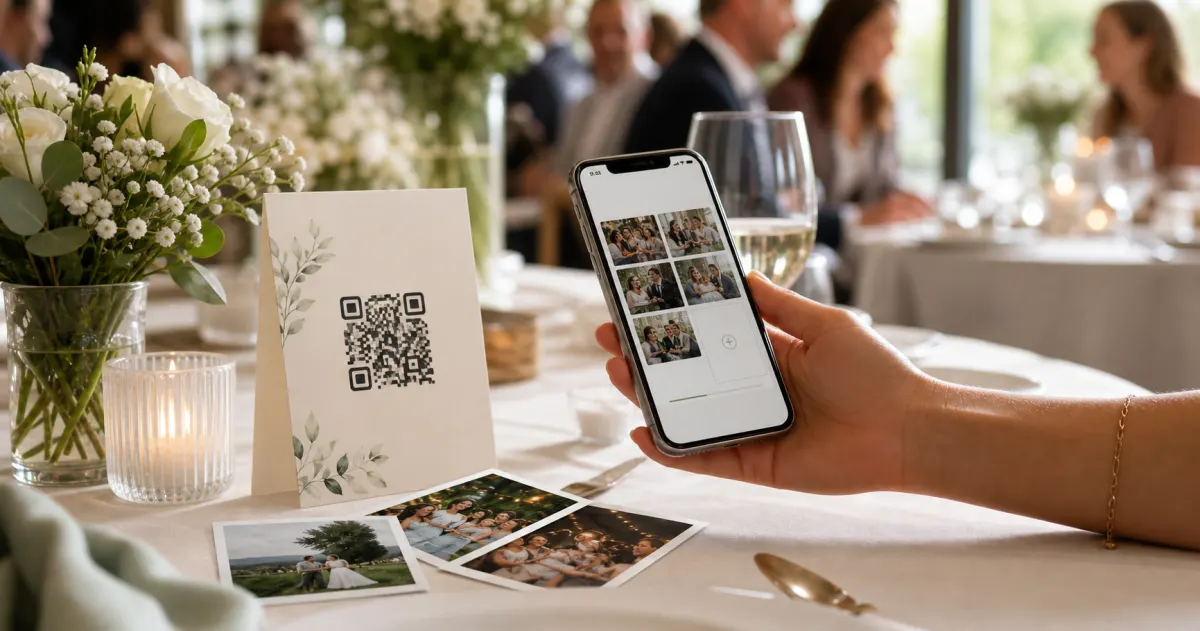
A printed QR code on the table collects more photos than any link in a group chat -- here is why, and how to set one up in two minutes.
 Story
StoryThe most underrated wedding keepsake: guest voice messages
Guest voice messages are the wedding keepsake couples replay most -- real voices, real pauses, the things people said when they actually meant them.
 Guide
GuideCollecting guest photos in the EU without the GDPR headache
Consent, data residency, and erasure -- the three things that make event-media GDPR-compliant, and how to get them right by default.