How to Run a Company Holiday Party That Everyone Actually Remembers (And Has Photos From)


Every December, the same thing happens. The team books a venue, orders the catering, and has a genuinely good night — and then, two weeks later, the only proof that any of it happened is four blurry photos in a Slack channel and a single group shot someone's manager took on a phone that's now at 3% battery.
The party was the easy part. Getting it to live on afterwards — in the internal newsletter, on the office wall, in next year's recruitment deck — is where most companies quietly lose the plot. This is a guide for whoever drew the short straw of organising it: how to plan a holiday party people actually remember, and how to make sure the photos from it don't evaporate the moment the lights come up.
It is written for the person doing the work, not for the legal team. We'll keep the compliance side light and link to the detailed version where it matters — because photographing employees in the EU does come with rules, and you should know where the lines are without needing a law degree to read them.
Start with the memory, not the agenda
A company holiday party that everyone remembers is rarely the one with the biggest budget. It's the one with a few deliberate moments — small things that give people a reason to gather, react, and pull out their phones.
The instinct is to over-program the evening. Resist it. You want two or three anchor moments and a lot of unstructured time in between, because the best photos almost never come from the thing you planned — they come from the table next to it. A useful planning question: what will people still be talking about on Monday? Build the night around the honest answer, and the photos take care of themselves — provided you've given everyone an easy way to capture and share them, which is the part most companies forget until it's too late.
Company holiday party photo ideas that actually get used
Here are photo-worthy moments that work at a corporate holiday party specifically — not a wedding, not a festival, but the particular dynamic of a room full of colleagues who see each other every day and want one night that feels different.
- A "year in review" wall. Print a few of the best moments from the past twelve months — the offsite, the product launch, the new hires' first week — and put them where people queue for drinks. It's a conversation starter and a photo backdrop in one.
- The team-versus-team something. A quiz, a cook-off, a ridiculous low-stakes tournament. Competition creates reactions, and reactions are what make a photo worth keeping. The trophy can cost five euros; the rivalry is free.
- A simple photo corner, not a full photo booth. You don't need a hired booth with an attendant. A well-lit corner, a couple of props that reference an in-joke only your company gets, and a sign telling people where to upload the result. The in-joke is what makes it yours.
- An awards moment with a wink. "Most likely to reply-all by mistake." "Best meeting-room thief." Give people a reason to stand up, laugh, and be photographed doing it. Keep it warm, never sharp.
- The candid table shots. The single most valuable category of holiday-party photo, and the one nobody plans for. These only get collected if every guest can contribute the ones they took — which is the whole reason a shared collection method matters.
- A voice message station. Set up a prompt — "what was your favourite moment this year?" — and let people record a short voice note. It captures something a photo can't, and it makes for a genuinely good clip to open the first all-hands of the new year.
Notice the through-line: every one of these only becomes a lasting asset if the photos and clips end up somewhere central. A great moment that lives on forty separate camera rolls isn't a memory the company keeps — it's forty memories nobody can find.
The real problem: the photos never make it back
Here's the uncomfortable maths. Roughly 70% of camera-phone photos are never revisited — only about 27.8% are ever meaningfully looked at again, according to Popsa's Memory Economy research. At a holiday party that's effectively worse, because the photos aren't just unviewed — they're scattered. Each guest holds a fragment, and no single person can assemble the whole night.
The usual fix makes it worse. Someone starts a WhatsApp group or a "please send me your photos" email thread, and now you're chasing fifty people for a fortnight, downloading compressed images one at a time, with no idea who still has the good ones. Group-chat fatigue is real and measured: in one survey, 40% of respondents said they were overwhelmed by group-chat messages and notifications. The pattern that works is the opposite of chasing — give everyone one place to drop everything, on the night, while the photos are still fresh and the night is still fun.
How to collect everything in one place (the easy version)
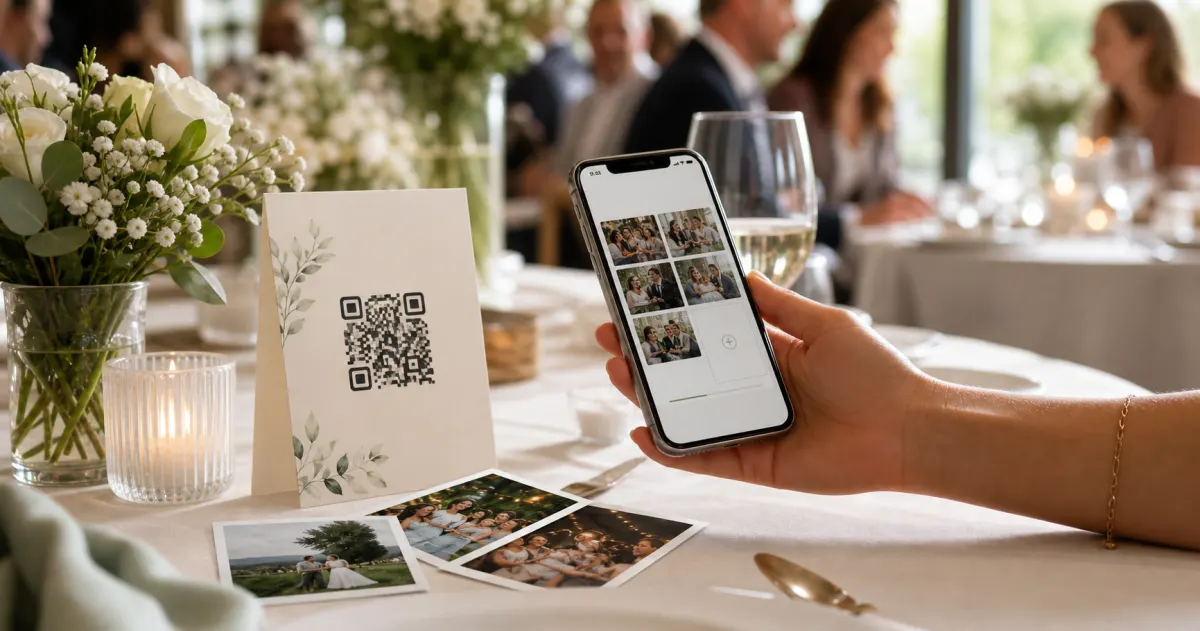
The mechanic that has quietly become the standard for events is the QR code. One code, printed on the table cards and the signage; guests scan it with their phone camera, a page opens in the browser, and they upload their photos and videos straight into a shared album. No app to install, no account to create, nobody downloading anything at the bar.
This is the model Gathmo is built on. Guests scan a QR or short link and upload photos, videos, and voice messages — no app, no signup — and everything lands in one branded album you control. It is sold per event (so a single holiday party doesn't commit you to a subscription) and, for agencies running parties for multiple clients, as a white-label subscription. We'll come back to the specifics; first, the practical bit most guides skip.
Make the QR code one people can actually scan
A QR code only works if it scans on the first try in a dim, busy room. A few sourced rules worth following:
- Size it for the distance. The rule of thumb is that the minimum code size is roughly the maximum scan distance divided by ten. For a table tent or table card, scanned from a seated 30–50 cm, aim for about 3–5 cm. For an A-frame or standing poster people read from one to two-and-a-half metres away, you want something far bigger — in the region of 10–25 cm.
- Keep the quiet zone. Leave a blank margin of at least four modules around all four sides. On a busy, branded card, designers often bump that up so a background pattern doesn't crowd the code and break the scan.
- Dark on light, never inverted. Use a dark code on a light background. Light-on-dark "inverted" codes look slick on a moody party flyer but many scanners struggle with them — skip the trend.
- Print at 300 DPI and test the actual card. Export at 300 DPI or higher for close-range print, then print one proof at the real size and scan it under conditions like the venue's. A code that scans perfectly on your monitor can fail on glossy stock under low light.
- Use a dynamic code for event print. A dynamic QR lets you point the same printed code wherever you need, which is exactly what you want for materials you commit to print weeks before the night.
Get those right and the friction disappears. Get them wrong and you'll spend the evening explaining to people why the code won't open — which is nobody's idea of a memorable party.
A quick, non-scary word on photographing colleagues
Because these are employees and not wedding guests, there's a layer here you can't entirely ignore — but it's far more manageable than the internet makes it sound. None of the following is legal advice; it's the practical shape of the thing.
In the EU, an employer who organises a company event and collects photos of staff is processing personal data, and needs a lawful basis to do it under the GDPR. For ordinary party photos a host can often rely on legitimate interest (Art. 6(1)(f)), but consent (Art. 6(1)(a)) is the safer basis — and in the employment context specifically, German law (BDSG § 26) treats consent as the cleaner route for event and marketing photos, with a clear right to decline without any disadvantage. In plain terms: tell people what you're collecting and why, make it genuinely optional, and let anyone opt out or ask for their photos to be removed.
Two more things worth knowing without overthinking them. First, ordinary photos are not automatically "special category" data — a face only becomes biometric data under the GDPR when it's run through facial-recognition technology to uniquely identify someone (Recital 51), and a normal shared album isn't that. (For the record, Gathmo does not offer face recognition — it's on the roadmap, not in the product.) Second, set a sensible window after which the album is deleted rather than keeping employee photos forever; the GDPR's storage-limitation principle (Art. 5(1)(e)) expects exactly that.
That's the whole shape of it. For the full step-by-step compliance playbook — consent wording, the information notice, retention, deletion requests, and the Data Processing Agreement to put in place — see the deeper read: the compliant way to collect team photos at an office holiday party.
How Gathmo fits a company holiday party
If you've decided the QR-code route is the one, here's how it maps to a holiday party, with no embellishment:
- One link, no guest friction. Guests scan and upload photos, videos, and voice messages in the browser — no app, no account. With people of every level of tech-comfort in the room, that's the difference between broad participation and a half-empty album.
- Voice messages on every tier. That "favourite moment this year" station works out of the box — voice messages are on all plans (with 30 seconds on Free and unlimited recording on paid tiers). The automatic transcript is a higher-tier feature (Grand and the B2B plans), handy for pulling quotes for the newsletter.
- A branded album. Add your logo and brand colour so the album feels like the company's, not a third party's.
- Moderation before anything is shown. AI pre-screening (via Hive) plus a human approval queue means you decide what goes on a screen or into a company-wide email — useful when not every candid is one you'd circulate.
- Data kept in the EU. Media is hosted in the EU, with the database in Frankfurt and Data Processing Agreements held with the processors involved — the part IT or legal will ask about for anything involving employee photos.
- A live slideshow, if you want one. From the Celebrate tier up, you can project a live slideshow of approved photos onto a screen during the night.
- One download at the end. Export the whole album as a single ZIP in original quality, and share a branded album link with the team. No chasing required.
Per-event pricing runs Free, €19, €39, and €79 depending on guest numbers and needs; a typical single holiday party sits comfortably in the middle. If you run parties for clients rather than one company, the white-label subscription tiers (Studio, Agency, Enterprise) let you do all of the above under your own brand and domain.
Set up the photo album and QR code before the party
Create a Gathmo event named for the holiday party. Print QR table cards for every table and a sign for the photo moment area. Place them before guests arrive so the QR code is visible from the moment people enter.
Create a designated photo moment
Set up a simple backdrop -- a step-and-repeat banner, a decorated corner, or a table with props -- and place the QR code sign there. A visible photo spot tells guests where photos happen, and participation clusters there naturally.
Have the host or MC mention the album
A 15-second mention during the opening is the highest-leverage driver of uploads: 'Scan the QR code on your table to add your photos tonight -- they go into a shared album you can download after.' One mention doubles upload rates.
Share the album link company-wide the next morning
Send a company-wide message the morning after with the Gathmo album link. Employees who did not upload during the event can still access everything; those who uploaded can see what colleagues captured. The album stays active for months on paid tiers.
Frequently asked
Build the night around two or three anchor moments — a light-hearted awards segment, a team-versus-team game, a simple props-and-good-lighting photo corner referencing an in-joke — plus a "year in review" wall and a voice-message station. Crucially, pair them with one shared place for everyone to upload what they captured, or the candid table shots (the most valuable category) never get collected.
The lowest-friction method is a QR code on the table cards and signage. Guests scan it, a page opens in their browser, and they upload straight into a shared album — no app and no account. It beats a WhatsApp group or an email thread, which leave you chasing people for weeks and downloading images one at a time.
In the EU, photographing staff at a company event is processing personal data and needs a lawful basis. Consent is the safer basis in an employment context, so tell people what's being collected and why, make it optional, and allow opt-outs and deletion. This is general information, not legal advice — see our full holiday-party compliance guide for the detail.
Yes — Gathmo has a free per-event tier (up to 100 uploads) that covers a small gathering, with paid per-event tiers (€19/€39/€79) for larger parties that need more guests, longer videos, and a branded album.
Three formats work across mixed groups: a structured team challenge with randomised teams (breaks silos, everyone participates equally), a themed photo station or audio guestbook (low pressure, works at the participant's own pace), and a well-run dinner with round tables (avoids the rank hierarchy of long rectangular seating). Avoid activities that require athleticism, alcohol participation, or deep company-history knowledge — these reliably exclude someone. The most remembered events tend to have one shared moment that everyone witnesses together — a speaker, a performance, a game reveal — anchoring the social experience.
Set up a QR upload album before the event (takes five minutes), put the QR on each table card, and give the MC a one-line mention during the event. Employees upload voluntarily and keep their own photos. The album gives HR a curated library the next morning without chasing files from ten different people. For employer brand use, add a line on the upload card: By uploading to this album, you agree photos may be used in internal communications and on company social channels — this covers the consent question. Gathmo's Celebrate tier (39 EUR per event) keeps the album for a full year, giving communications time to select and use the content.
Research on workplace events consistently finds that the moments people remember are: something that does not happen at every party (a surprise element, a personal touch from leadership, an unusual activity); a social artifact that outlasts the night (a shared photo album, a voice message reel); and genuine connection time in small groups rather than background music in a large room. The photo and memory layer is where event apps add lasting value: a QR album running during the party means the album — and any voice messages in it — outlast the event by months. Gathmo's Celebrate tier (39 EUR) retains the album for a year, giving internal communications teams 12 months to use content in newsletters and reports.
 Guide
GuideHow to collect photos from your event guests (the easy way)
A printed QR code on the table collects more photos than any link in a group chat -- here is why, and how to set one up in two minutes.
 Story
StoryThe most underrated wedding keepsake: guest voice messages
Guest voice messages are the wedding keepsake couples replay most -- real voices, real pauses, the things people said when they actually meant them.
 Guide
GuideCollecting guest photos in the EU without the GDPR headache
Consent, data residency, and erasure -- the three things that make event-media GDPR-compliant, and how to get them right by default.