Class Reunion Photo Sharing: How to Collect Every Memory From One Night


Here's the thing about a reunion: it's one night, and then it's gone. Ten years, twenty, more — and the whole class is finally in one room again. Someone you haven't seen since graduation walks in. The old crew reassembles in the corner. Everyone is taking photos. And by the time you're saying goodbye in the parking lot, those photos are scattered across forty different phones, half of them belonging to people you won't talk to again until the next reunion.
That's the problem this article solves. Not "how do I take photos at a reunion" — your classmates have that covered. The problem is collection: getting every shot, every video clip, every half-shouted hello off everyone's individual phone and into one place the whole class can see. The right photo-sharing app turns forty camera rolls into a single album before the night is even over. This is a buyer's guide for whoever ended up organising the reunion: what matters when you pick a tool, why most of them fall short for a group that hasn't been together in years, and how to set it up so the album fills itself. Capture the room while it's together — you don't get this room back for another decade.
Why a reunion needs more than a group chat
The instinct is to make a class WhatsApp group or a shared cloud folder and call it done. It isn't. Reunions break group chats in a way an ordinary night out doesn't.
The photos are already scattered — by design. Everyone captures, nobody collects. A reunion makes it worse: your classmates use different phones, different photo apps, and most of them aren't in any shared thread together anymore. The raw material is enormous and mostly wasted — around 70% of camera-phone photos are never revisited (Popsa / Digital Camera World, 2025), out of roughly 1.9 trillion photos taken worldwide in 2024 (Photutorial, 2024–2025). The shots from your reunion are real. They just never make it off forty separate lock screens.
A revived class group chat is dead on arrival. You can spin up a thread, but a class that's been out of contact for years won't reliably post into it — and the few who do will bury everyone else. Group-chat fatigue is measurable: in one survey, 40% of respondents said they felt overwhelmed by group-chat messages and notifications (The Conversation, 2023). A thread that 40% of people have already muted is where a class album goes to be ignored, not built.
The stakes are higher, and so is the regret. A house party you can redo next month. A reunion you can't — if the collection fails, the room scatters, people fly home, and the photos quietly die on individual phones. Get the tool right before the night, not after.
The good news: the technology is on your side. QR scanning is a normal reflex now — 68% of US consumers say they've used a QR code in the past year, and across the UK and Europe 86.66% of smartphone users have scanned at least one, with 36.40% scanning one every week (TEAM LEWIS, 2024; MobileIron / Ivanti, 2020–2021). Every classmate is holding the exact device you need; your job is just to point them at one album.
What to look for in a class reunion photo sharing app
Not all photo-sharing tools are built for a once-a-decade crowd. These are the things that decide whether your album ends up full or empty.
No app, no signup — non-negotiable for a reunion. Your class spans the widest possible range of phone confidence: some classmates live in their camera rolls, others barely text. If the tool asks anyone to download an app or make an account, you lose a chunk of the room before they start — and it'll be exactly the people whose photos you most want. The only mechanism that works for everyone is scan and upload, straight from the browser. Gathmo is built this way: guests scan a QR code or tap a short link and they're on the upload screen, no app to install, no account to create. Check your shortlist closely here, because a few tools in the wider event-photo market still require a guest app — Photier, Eversnap, and WedShoots all route guests through one. (Competitor specifics: competitor-data-digest.md, as of June 2026.)
Photos, video, and voice — because a reunion is about the voices too. The best part of a reunion isn't a wall of group shots; it's hearing how people sound now — the toast that turns into a story, the "I can't believe it's been twenty years" said over the music. Pick a tool that captures more than stills. Gathmo takes photos and video clips, and it has a built-in voicemail booth — guests tap the voice tab and record a message for the whole class from the same screen, no hardware and no foam telephone required. That voice feature is on every tier, from Free up, and it's genuinely rare in this market: among the tools we compared, in-browser voice recording shows up in only a handful. (Automatic transcripts of those messages — a written copy of every drop — are a Grand-tier and B2B extra.)
A retention window that outlives the night. This is the detail people forget, and it quietly ruins reunion albums. Classmates upload late — the best shots land the next morning at the airport, on the drive home, three days later when someone clears their phone. If your album has already closed, those photos are gone. On Gathmo the retention scales with the tier: 30 days on Free, 6 months on Essential, 1 year on Celebrate, and 2 years on Grand. For a class that scatters across cities and uploads on its own schedule, the longer windows earn their keep.
A live wall, to make uploading feel like part of the night. When uploaded photos appear on a screen seconds later, people see their own shot go up and everyone else wants in. For a reunion it becomes a moving slideshow of the night, mixed with the old graduation-era photos someone inevitably brings. On Gathmo, the live slideshow is on the Celebrate tier and a real live stream is on Grand — and true broadcast-grade live streaming is rare among the tools we checked (most "live" features are slideshows or photo walls), so Gathmo Grand is one of the few that offers it.
Where your data lives. A reunion gathers a lot of people who never agreed to be on anyone's marketing server. If that matters to you or a privacy-conscious classmate, Gathmo hosts in the EU (Frankfurt) with processor data-processing agreements in place. Several alternatives are US-hosted or simply don't say — GuestCam states US hosting, and Qrowd Pics doesn't disclose where data is stored at all.
One honest caveat: Gathmo does not offer face-recognition photo search or RSVP at launch — both are on the roadmap, not in the product today. So don't promise classmates they'll be able to "find every photo of me by selfie" yet. What you can promise is what a reunion actually needs: dead-simple uploading for every level of phone confidence, voice drops, a live wall, and a window that stays open for the stragglers.
How to set it up: a reunion photo plan that fills the album itself
Picking the tool is half of it. The other half is making the room use it.
1. Create the event and get your link and QR code
Set up your reunion event, give it a name your class will recognise ("Class of 2006 — 20 Years"), and you get a shareable link and a QR code — name it and your code is ready. Decide your tier here too: for most reunions, Essential (€19) or Celebrate (€39) is the sweet spot, with Celebrate adding the live slideshow and the longer six-month window that suits a class uploading from all over.
2. Print the QR code where the reunion actually happens
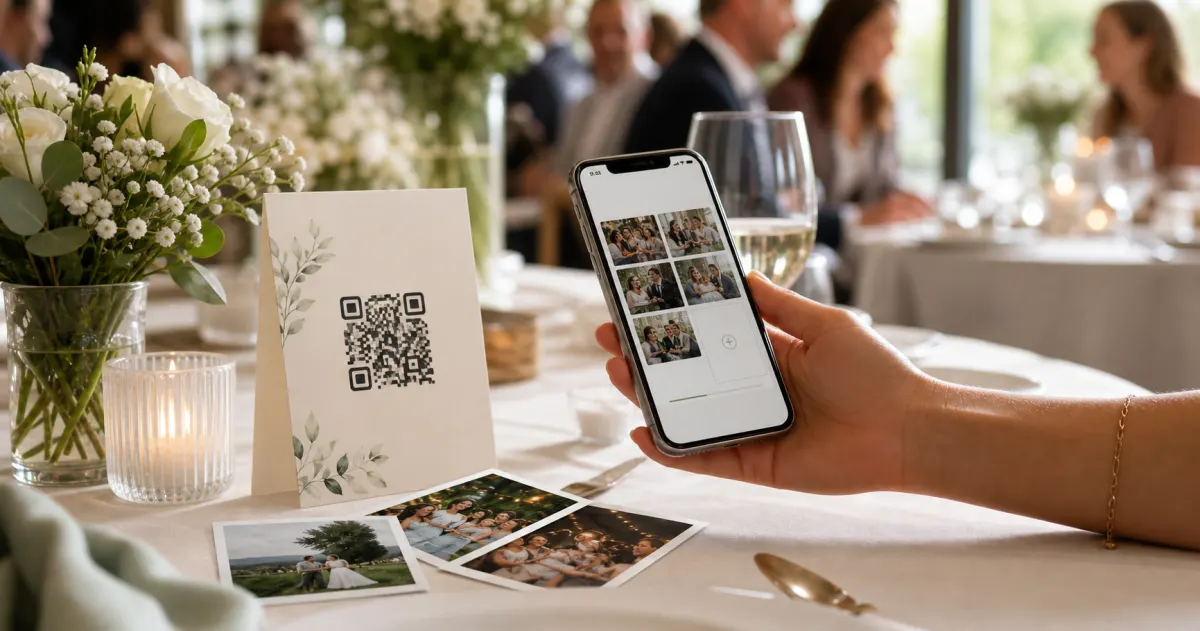
A link buried in an email gets scrolled past. A QR code in front of a classmate, while they're already holding their phone, gets scanned. Placement is participation, so put the code where the night flows: at check-in (framed as "scan to join the class album," setting the expectation before anyone's found their old friends), on every table (a tent card keeps it within arm's reach of the moment someone's about to take a photo anyway), at the bar (people queue, stand, and look at their phones there), and by the memory stuff — the old yearbooks, the photo board, the name-tag table — wherever people cluster to reminisce.
Make sure it actually scans — a QR code nobody can read is worse than no code at all, so respect a few print basics (QR-print best-practice register):
- Size it to the distance. Use the 10:1 ratio — minimum code size equals the maximum scan distance divided by ten. An A5 table sign read from arm's length wants roughly 4–7 cm, a table tent card about 3–5 cm; never go below 2 × 2 cm. Leave a clear quiet-zone margin of at least 4 modules on all four sides, and don't let your reunion graphics crowd it.
- Keep it high-contrast. Use a dark code on a light background, and avoid inverting it (light code on a dark background) — many scanners struggle with that.
- Mind the error-correction level. Level M (~15% recovery) is the standard default; if you drop your class logo or year into the middle of the code, bump up to Level H (~30%) so the overlay doesn't break the scan.
- Use a dynamic code, and test-print first. A dynamic QR lets you fix the destination later; print one at the real size on the real card stock and scan it under the dim, warm lighting a venue actually has before you print the rest.
Generate your event QR code in the Gathmo dashboard, then drop it onto your own A4, A5, or tent-card signage and print — sized per the placement guidance above.
3. Say it out loud, once, when the room is together
Signs do a lot; a single spoken nudge does more. Reunions always have a moment when the whole room is listening — the welcome, the toast, the "look how far we've all come" speech. Use ten seconds of it: "Everyone, scan the code on your table and drop your photos and a voice message in — one album for the whole class." Then let the code do the rest.
4. Put the live wall on the big screen
If you've got a projector or a TV — and most reunion venues do — run the live wall on it. As classmates upload, the night plays back in real time. It pulls in the people who'd otherwise just watch, and it pairs perfectly with the old graduation photos someone always brings to loop alongside the new ones.
5. Open the voice booth for the class message
This is the move that makes a reunion album more than photos. Point people at the voice tab: "Leave a message for the class — where you ended up, your favourite memory, whatever you want the next reunion to hear." You end up with a gallery of voices from people who hadn't been in the same room in years — for a once-a-decade event, that's the part everyone replays.
6. Share the album so the class that couldn't make it still gets in
Not everyone can fly back. After the night, share the album link with the whole class list, including the ones who missed it — they get to see the night, and the late uploaders get their runway to keep adding (which is exactly why the longer retention window earns its keep).
A quick word on privacy and consent
A reunion gathers a lot of people, and a few will care — reasonably — about where their face ends up. This isn't legal advice, but two points keep things clean. First, be transparent: under the GDPR you're expected to tell people who's collecting their photos, why, and on what basis, at the point of collection (GDPR Art. 13) — in practice, just a clear line on your sign ("Photos and voice messages go into the Class of [year] album, organised by [you]").
Second, don't hoard the data indefinitely; the GDPR's storage-limitation principle expects personal data to be kept no longer than necessary (GDPR Art. 5(1)(e)), which is one more reason a defined retention window beats an open-ended cloud dump. One reassurance: ordinary photo galleries are not "biometric" data — under the GDPR a photo only becomes biometric when run through facial-recognition technology to uniquely identify someone (GDPR Recital 51), and Gathmo doesn't do face recognition, so your reunion album is just an album.
Create the reunion album and share it weeks in advance
Set up the Gathmo event when the reunion date is confirmed and share the link with the organising group. Classmates who cannot attend in person can upload old photos, messages, and video greetings before the event date.
Display the QR code at the venue from the first moment
Print large QR signs for the registration desk and every dining table. At a class reunion, the first thing most people do is take a group photo; having the QR code visible at registration ensures uploads begin from the first hour.
Collect old school photos alongside new ones
Encourage classmates to upload scanned photos from the school years to the same album. The album becomes a mixed timeline of then-and-now photos, which is the format most reunion attendees find most valuable and shareable.
Keep the album active for months after the reunion
On Essential (19 EUR) or above, the album stays active for 183 days or more. Share the link with those who could not attend so they can browse, add old photos, and reconnect with the collection on their own schedule.
Frequently asked
Look for three things: no app or signup for guests (so every level of phone confidence can join), capture for photos, video and voice, and a retention window long enough for late uploads. Gathmo covers all three — guests scan and upload from the browser, there's a built-in voice booth on every tier, and retention runs from 30 days on Free up to 2 years on Grand. For most reunions, the Essential or Celebrate tier is the right fit.
Share the album link with your whole class list after the night, including the people who missed it. They can view everything, and anyone who attended can keep uploading until the retention window closes — so the album keeps growing for days, not just on the night.
Yes — that's one of the best parts. Gathmo's voicemail booth lets classmates record a message for the whole class right from the same screen, with no hardware needed, and it's included on every tier. A written transcript of each voice message is available on the Grand tier and for business plans.
Everywhere the reunion already flows: the check-in table, every dinner table, the bar, and the memory corner with the old photos. Size it for the scan distance (about 4–7 cm on an A5 sign, 3–5 cm on a table tent, never below 2 × 2 cm), keep a clear margin around it, use a dark code on a light background, and test-print one under the venue's real lighting first.
Two tactics work: a clear call-to-action with a prompt (Upload a throwback photo from your school years — any decade welcome), and advance outreach before the reunion itself. Send the QR album link to attendees two to four weeks before the event with a specific request: add one old photo before the reunion so there is a gallery ready on the day. Pre-event uploads seed the album, which makes it more compelling for people to add to during the event. Surprise Mode can hold pre-event uploads in a hidden state until a chosen reveal moment — useful where organisers want to present the collective memory as part of the programme.
A private album link sent by email to the full reunion list, including no-shows, gives everyone access to the same gallery. Those who attended can see their photos; those who could not attend can leave a message or upload an old photo from wherever they are. The link requires no account or app install — important for reaching classmates who are not on the same social platforms as the organisers. Keep the album live for at least six months to give everyone time to download their favourites. Gathmo's Celebrate tier (39 EUR, one-year retention) is a common choice for reunions because it outlasts the immediate post-event rush by enough margin that slower movers still get their copies.
A QR album link (not just the QR code) sent to all alumni before the reunion lets people who cannot attend in person upload their own old photos and messages beforehand. During the reunion, the same link on QR table cards collects live uploads from those present. After the event, the link stays active for the retention window (30 days free, 183 days on Essential 19 EUR), giving attendees time to upload photos from their phone libraries. For a reunion where some people attend in person and others join by video call, the album link is the common thread — it collects contributions from all three groups in one place without requiring anyone to be in the same location.
 Comparison
Gathmo vs disposable cameras: which is better for your party?
Disposable cameras have nostalgia. Gathmo has everything else. A head-to-head on cost, photos, sharing, and what you keep.
 Guide
GuideHow to collect photos from your event guests (the easy way)
A printed QR code on the table collects more photos than any link in a group chat -- here is why, and how to set one up in two minutes.
 Story
StoryThe most underrated wedding keepsake: guest voice messages
Guest voice messages are the wedding keepsake couples replay most -- real voices, real pauses, the things people said when they actually meant them.